
Complete PIN Recovery for all Megane generations from 1998 to 2024.
How to Find and Enter the Radio Code for Renault Megane 2, 3 & 4
Lost your Renault radio PIN after a battery change? Whether your car is equipped with the classic Philips Tuner List or the newer VDO Update List head unit, we can help you retrieve your original 4-digit activation code in minutes. No need to visit a dealership or pay expensive fees—our automated system generates authentic Renault codes based on your radio's unique security pre-code.
Renault Megane Radio Code
Enter the 4-character precode (e.g. A105)
Happy? Help us with a review! 😄
REVIEW US ON TRUSTPILOT ★★★★★How to Find and Enter Renault Megane 2, 3 & 4 Radio Codes
Follow these professional methods to retrieve your Security Pre-code or VIN. This data is required to generate the 4-digit authentication PIN for Update List, Arkamys, and MediaNav systems.
Option 1: Security Pre-code (Serial Number)
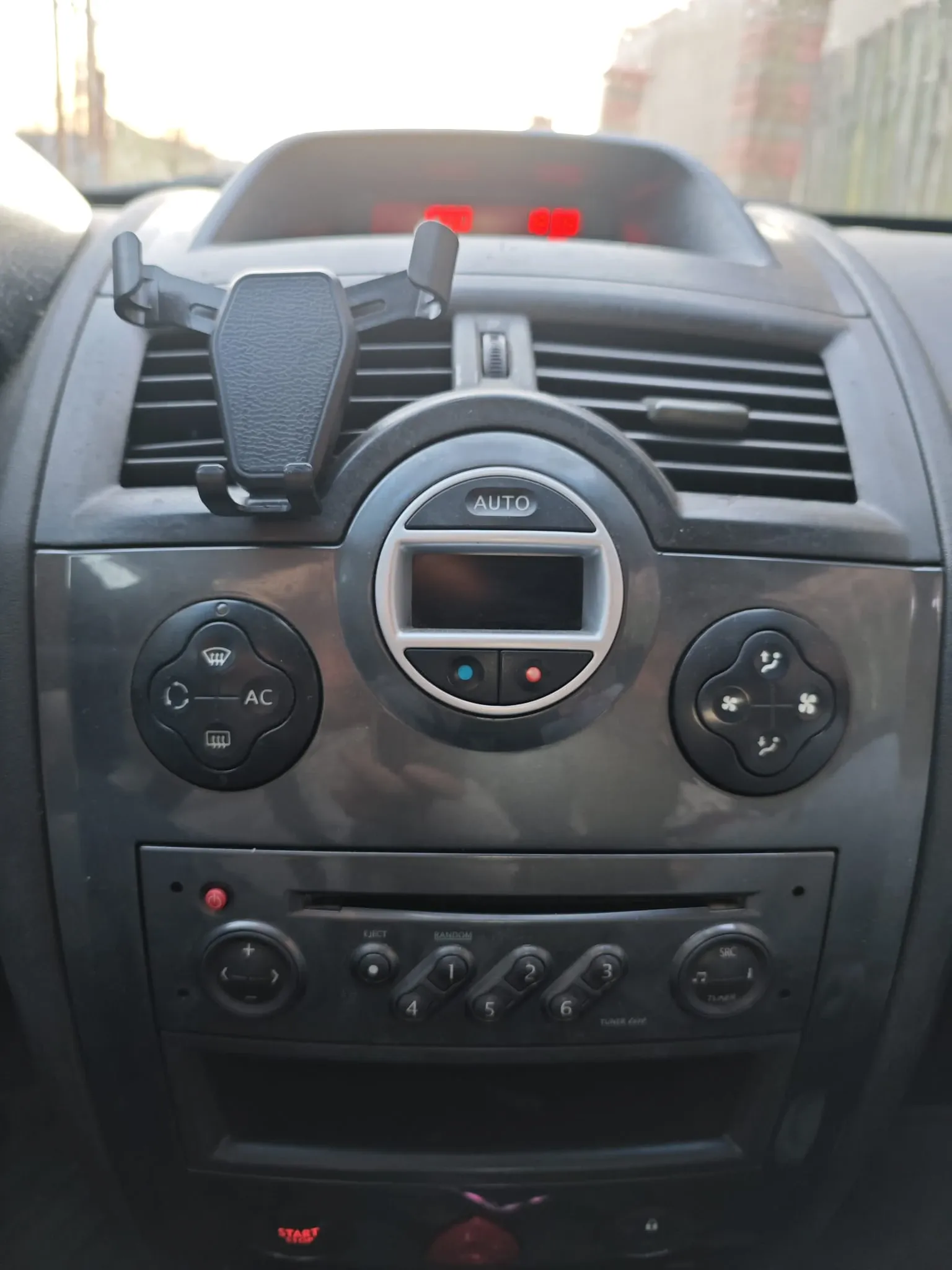
Example: The 'Security' code (e.g., Q924) found on the display or unit label.
The Pre-code is a 4-character identifier (1 Letter + 3 Digits) used in Megane 2 and 3 models with Update List or Arkamys radios.
- Digital Shortcut: Turn on the radio and hold buttons 1 and 6 for 5 seconds. The pre-code (e.g., T456) will flash on the screen.
- Label Method: If the buttons are unresponsive, remove the unit. The pre-code is the last letter and three digits of the barcode (e.g., 281154879RTZ123).
- Legacy Units: On older Tuner List models, look for the word 'Security' on the side sticker.
Option 2: VIN Number (No Removal Required)
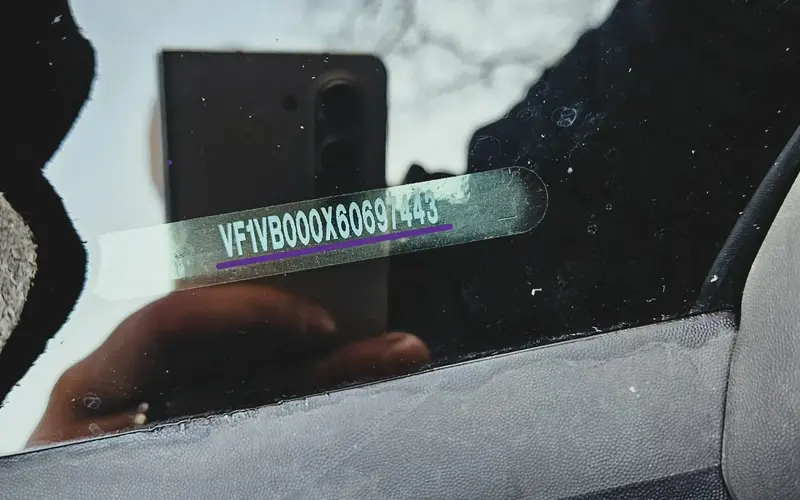
Example: VF1VB... (17 characters found on the windshield or registration).
The VIN (Vehicle Identification Number) method is the most efficient solution for Megane 4 and Megane 3 owners with R-Link 2 or MediaNav.
- Windshield Location: Look at the lower-left corner of the windshield. You will see a 17-character string starting with 'VF1'.
- Vehicle Papers: The VIN is also printed on your V5C Logbook or insurance documents.
- Zero Risk: This method avoids dashboard removal, which is crucial for modern touchscreen tablets to prevent physical damage.
Need to pull out the radio? How to remove it safely
To get the Pre-code from the side label, you must slide the head unit out of the dashboard. Most Renault Megane 2 & 3 models require standard ISO Release Keys (U-shaped pins).
- Using Tools: Insert the two U-shaped keys into the 4 holes on the front of the radio until you hear a click, then pull gently.
- DIY Method: If you don't have the keys, you can use 4 thin nails or even pieces of a wire coat hanger to release the internal clips.
- Megane 4 Note: For R-Link tablets, do NOT attempt to pry the screen. Use the VIN Method (Option 2) to avoid expensive dashboard damage.
Step-by-Step Guide: How to Enter Your Renault Megane Radio Code
Once you have retrieved your 4-digit security PIN, you must input it correctly to restore audio functionality. Follow the specific instructions below for Megane 2, 3, and 4 audio systems.
Method 1: Dashboard Buttons (1-4)
This is the standard procedure for Megane 2 Update List and Tuner List units using the numeric keypad:
- First Digit: Press Button 1 repeatedly until the correct number is displayed.
- Second Digit: Press Button 2 repeatedly to set the second number.
- Third Digit: Press Button 3 repeatedly for the third number.
- Fourth Digit: Press Button 4 repeatedly for the final number.
- To Validate: Press and hold Button 6 for 5 seconds. You will hear a loud beep when the system unlocks.
Method 2: Steering Wheel Remote (Stalk)
If your radio buttons are unresponsive, use the column remote (stalk controls) behind the steering wheel:
- Navigate: Use the rotary thumbwheel (scroll wheel) behind the stalk to change the digits from 0-9.
- Select: Press the bottom button (or 'OK' on the side) to confirm the digit and move to the next.
- Final Confirmation: Once all 4 digits are visible, press and hold the bottom button for 5 seconds to finalize the authentication.
Method 3: MediaNav & R-Link PIN Entry
For modern Megane 4 MediaNav Evolution and R-Link 2 systems, use the digital interface:
- A virtual keypad will appear automatically on the tablet display.
- Type the 4-digit authentication code using the touchscreen.
- Press "Done" or "Accept" to unlock. If the screen is frozen, restart the engine and wait for the "Unit Locked" timer to expire.
Is your radio stuck on "WAIT" or "UNIT BLOCKED"? This happens after too many incorrect attempts. To reset the timer, leave the radio ON for 30 to 60 minutes without turning off the ignition. The display will eventually revert to "0000" or "CODE", allowing a fresh entry.
Renault Megane Radio Code Recovery
Can I get a Renault Megane radio code for free?
While you might find a free Renault radio code generator online, these tools often use outdated databases or generic algorithms that don’t match your specific unit. Entering an incorrect free code can trigger a security lockout, resulting in an “ERROR” or “UNIT BLOCKED” message. To safely unlock your Update List or Arkamys radio, a professional recovery service using the official Renault database is the only way to ensure 100% accuracy.
How to find a Renault radio pre-code without removal?
You can display the security pre-code digitally on most Megane 2 and 3 models without taking the dashboard apart. Turn the radio ON and press and hold buttons 1 and 6 simultaneously for about 5 seconds. The screen will show a letter and three digits (e.g., V123). This is your Renault serial pre-code, which allows us to generate your 4-digit PIN instantly.
Why is my Renault radio stuck on "WAIT" or "UNIT BLOCKED"?
If your Megane radio display shows “WAIT” or “UNIT BLOCKED,” it means too many incorrect PIN attempts have been made. This is a security measure. To reset the timer, you must leave the radio turned ON for 30 to 60 minutes with the engine running or while driving. Once the lockout period ends, the screen will return to “0000,” allowing you to enter the correct authentication code.
Is the radio code different for Megane 4 R-Link 2 systems?
Yes, for Megane 4 (models 2016-2026) equipped with R-Link 2 or MediaNav Evolution, the code is part of the vehicle’s smart anti-theft system. Since removing the vertical touchscreen is difficult and risky, the best method is to use the 17-digit VIN (Vehicle Identification Number). This allows for a safe, software-based recovery of your Renault authentication PIN without any physical tools.
Where is the Renault radio code located in the Service Book?
Check the first or last page of your Renault Maintenance/Service Book for a handwritten or printed entry labeled C.A.R. (Computer Anti-theft Registration). This 4-digit number is your official radio PIN. If your manual is missing or the “C.A.R.” field is blank, you will need to retrieve your Security Pre-code from the unit’s label or use the VIN method to regain access to your audio system.