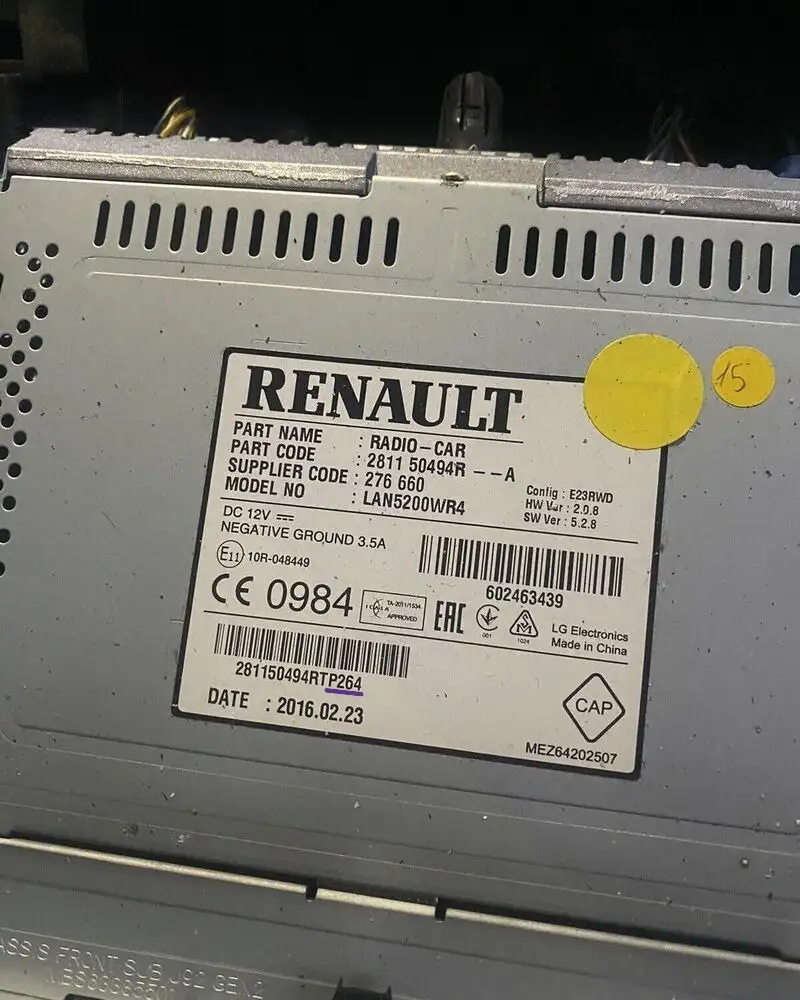
How to Find Your Radio Serial Number
Locked out of your car’s entertainment system? To generate your unique radio unlock code, the first thing you need is your radio Serial Number.
Depending on your car’s make and model, you can find this number either through a button combination on the display or on the physical sticker located on the back of the unit.
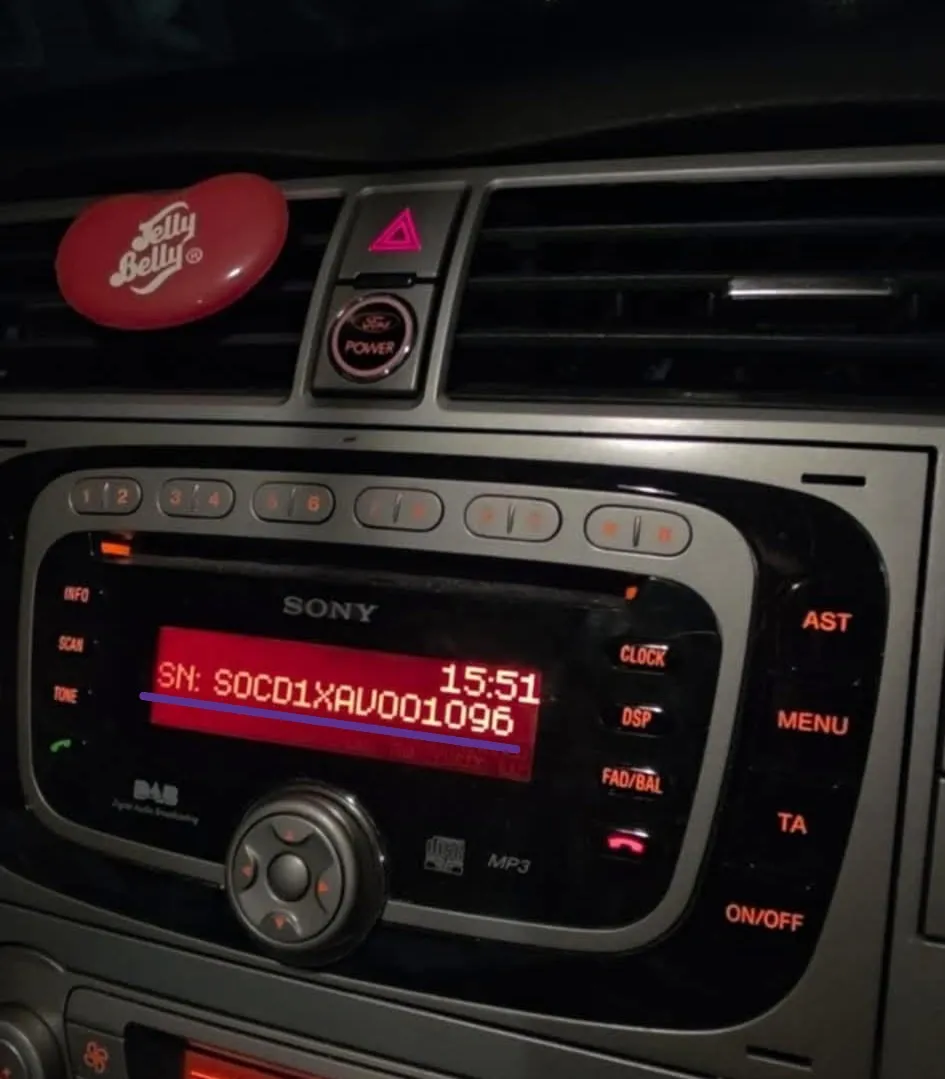
Why Do I Need the Serial Number?
The serial number is the unique fingerprint of your radio. Since every car radio has a specific security algorithm, we use this number to retrieve the original factory code from our database.
Method 1: Finding the Serial via the Display Screen
Many modern vehicles (especially Ford, Honda, and Chrysler) allow you to see the serial number without removing the radio.
Common Steps:
Turn on the ignition and the radio.
Press and hold buttons 1 and 6 simultaneously for a few seconds.
On some models, try buttons 2 and 6.
The screen will cycle through various data points. Look for a code starting with a letter followed by several digits (e.g., M123456 or V123456).
Note: If the screen shows "Wait" or "Locked," you may need to leave the radio on for 30–60 minutes before it allows you to try this method.
Check out our video guide for this method: 🎥 Watch: How to get the radio serial number on screen (Ford/Honda/Sony) Note: This video shows the "1 & 6" button combination in action.

Method 2: Finding the Serial on the Unit Label
If the button combination doesn't work, you will need to see the identification sticker. This requires a bit of "hands-on" work.
Steps to Retrieve the Radio:
Use Radio Removal Tools: Most cars require specific "extraction keys" (U-shaped or flat prongs) that slide into the small holes/slots on the face of the radio.
Slide the Unit Out: Once the clips are released, gently pull the radio toward you. You do not need to unplug the wires.
Locate the Sticker: Look for a printed label. The serial number is usually printed near the barcode.
What to Look For:
| Brand | Serial Number Format Example |
| Ford | M123456 or V123456 |
| Renault | P264 (Security Code) |
| Volkswagen | VWZ1Z2H1234567 |
| Audi | AUZ1Z3I1234567 |
| Becker/Mercedes | 4-digit or 8-digit strings |

Radio Code Retrieval
Can I get my car radio code for free?
While some free tools exist for older models, most modern units require a professional online radio code service. Generating original factory codes involves accessing secure databases and maintaining specialized software. At RadioCodeAuto, we provide a 100% accurate and instant radio code, saving you from the risk of using incorrect codes that could permanently lock your unit.
Can I unlock my car radio without the code?
No, modern car radios have an anti-theft system that requires a unique car radio security code. To unlock a car radio without the original code card, you must perform a car stereo serial lookup to generate a new working code.
Will I need radio removal tools?
If the button combination (1 and 6) doesn’t show the serial on the screen, you will need radio removal tools (extraction keys) to slide the unit out and read the radio serial on the label.
Where is the car stereo serial number location?
The stereo serial number location depends on your car brand. For most Ford and Honda models, you can find the radio serial number on display by holding buttons 1 and 6. For Renault, VW, or Audi, the serial is typically on a car stereo identification sticker on the back or side of the unit.
How do I enter the radio code once I receive it?
Once you get your instant radio code, use the preset buttons (1-4) on your dashboard to input the digits and press the “5” or “Enter” button to decode the car radio and restore sound.