MediaNav Specialist • Instant with serial number • VIN by email
LG MediaNav Radio Code Generator Online
Instant Unlock Codes for Dacia & Renault Touchscreen Navigation
Radio locked after a battery change or jump-start? If your Dacia or Renault touchscreen stereo is locked on the authentication screen, you can retrieve the factory LG MediaNav radio code right here. Just locate your 4-character security precode and enter it below to get your original 4-digit MediaNav PIN instantly.
LG MediaNav Radio Code Generator
Enter your 4-character security precode – get the code instantly.
Leave a review on Trustpilot
How to Find Your MediaNav Security Precode
To generate your original 4-digit PIN, you must locate the specific 4-character security precode assigned to your LG touchscreen unit.
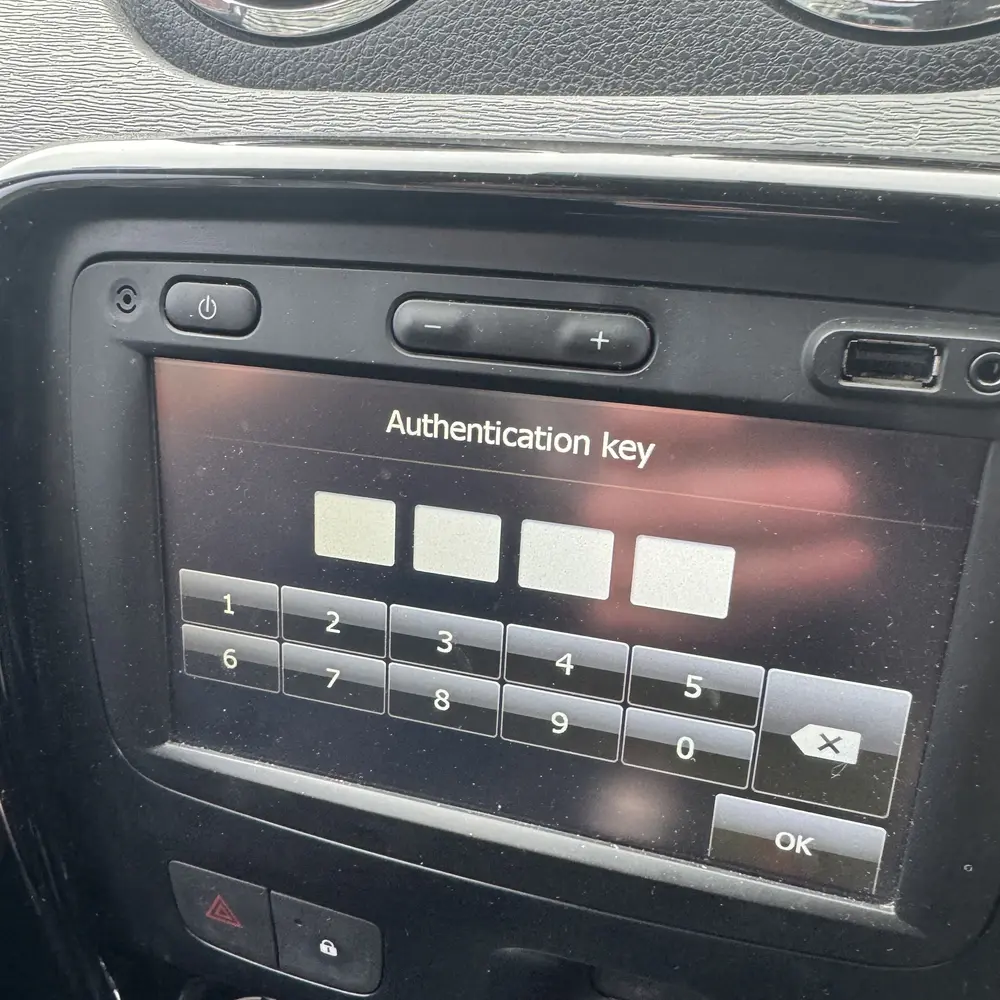
1. The Authentication Screen
When the touchscreen displays the "Authentication Key" message, the system is fully locked and will not accept any button combinations. To get past this screen, you need the precode printed on the unit's casing.
2. The Radio Casing Sticker
You will need to briefly remove the plastic trim and slide the MediaNav out of the dashboard. Look for the white sticker on the back. The 4-character precode is located either next to the word "Security" or at the very end of the main barcode string.
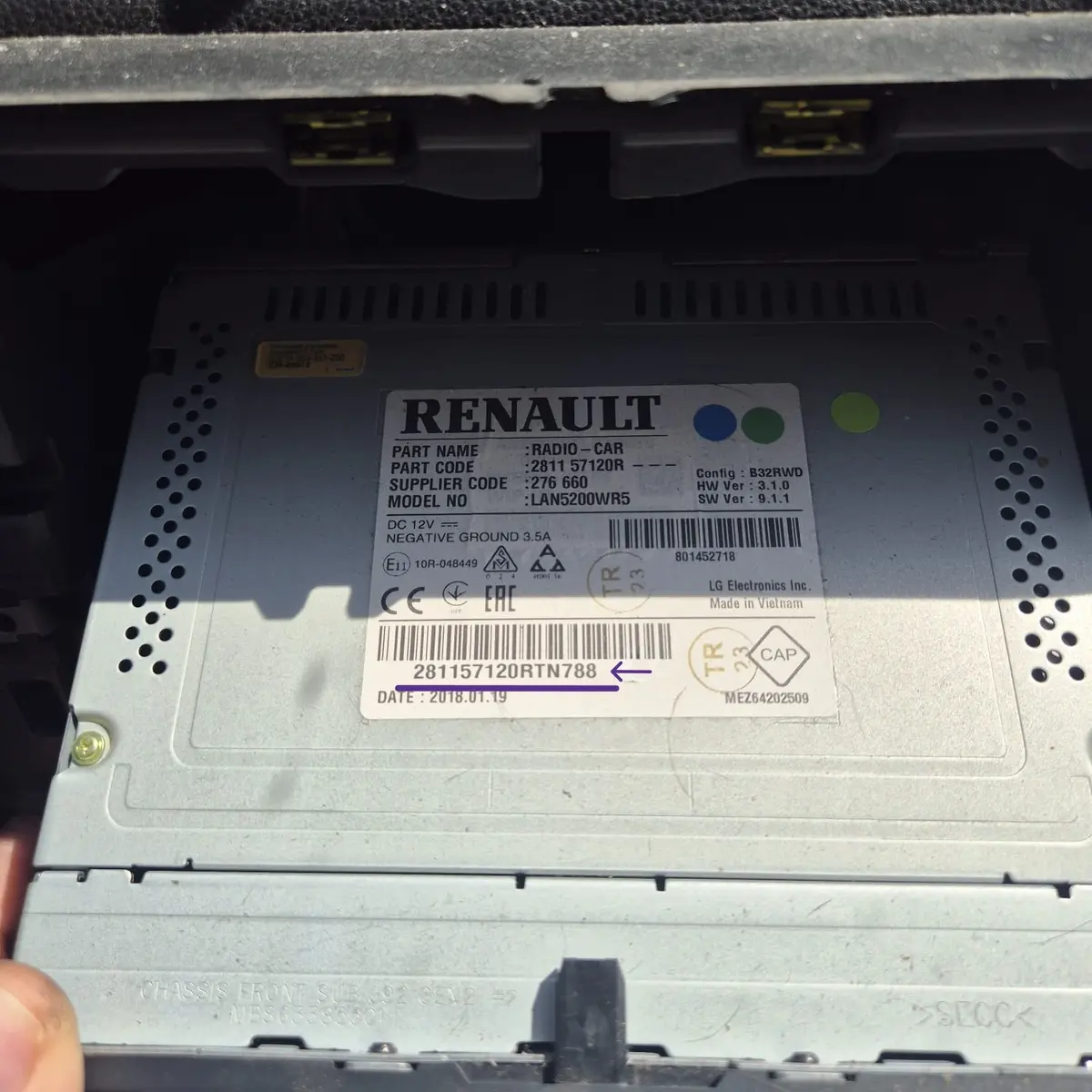
How to identify the Precode on the label:
How to Enter Your MediaNav Radio Code
Turn on the Ignition
Switch on your car's ignition and press the power button on your LG MediaNav unit. The screen should display the 4-digit PIN prompt.
Type the Code
Use the on-screen keypad to type in the 4-digit radio code from our calculator.
Confirm and Unlock
Once the 4 digits are entered, press the "OK" or "Accept" button on the bottom right of the touchscreen. Your navigation system will unlock instantly.
Too many wrong attempts? If you enter an incorrect code, the system will temporarily lock itself, displaying a countdown timer (e.g., 10, 30, or 60 minutes). Leave the unit powered ON during this countdown until the keypad reappears to try again.
Supported Dacia & Renault Models
This unlock code calculator works for all first and second-generation LG MediaNav & MediaNav Evolution touchscreen units.
Dacia Models
- All Dacia Radio Codes
- Dacia Duster 1 & 2 (2013 - 2021)
- Dacia Sandero / Stepway 2 (2012 - 2020)
- Dacia Logan 2 / Logan MCV 2 (2012 - 2020)
- Dacia Lodgy (2012 - 2022)
- Dacia Dokker (2012 - 2021)
Renault Models
- All Renault Radio Codes
- Renault Clio IV / Clio RS (2012 - 2019)
- Renault Captur I (2013 - 2019)
- Renault Kangoo II (2013 - 2021)
- Renault Trafic III & Master III (2014 - 2019)
- Renault Duster / Oroch (2013 - 2023)
- Renault Sandero / Logan (Global)
- Renault Kwid (2015 - Present)
- Renault Symbol / Thalia 3 (2013 - 2020)